Beyond —
NASA Learning Game.
An immersive tablet game built in one week for the Adobe × NASA Creative Jam. Players explore the solar system, learn NASA JPL missions through mini games, and build a rocket — all grounded in project-based learning for 11–13 year olds.

Beyond — immersive tablet game for learning NASA JPL missions through mini games
Help kids learn about space exploration — in one week
The brief was to design a tablet app for 11–13 year olds that helps them learn about NASA JPL missions in an engaging way. It could include gaming, gallery, educational content, or any combination of functions that would help them learn about the latest science, robotics, and spacecraft.
The Solution
An immersive tablet game with an underlying narrative. Players go on a mission to different planets, learning about each NASA JPL mission by completing mini games — and building their rocket as they go.
Competitor research + user interviews
We explored two games popular with this age group — Among Us and Blooket — asking three key questions: What game formats are most popular? What visual aesthetics appeal to this age group? How is educational content made fun in the market today?
These findings pointed us clearly towards a mini game approach for delivering mission content.
Two personas, two different goals
We created two personas to capture the range of motivations in the 11–13 age group.

User flow for mini games + task analysis for the entire game

Affinity map — why I like the games I play

Affinity map — learning and teaching methods
The affinity mapping confirmed our direction towards mini games and surfaced a second insight: including project-based learning as a structural mechanic — building the rocket piece by piece as missions are completed.
Solving for sustained engagement with a lot of content
Our biggest problem: how do we keep users engaged while they absorb a lot of information about each NASA mission? Two ideas emerged from this stage that became the structural backbone of the game.
Low fidelity wireframes
We started with the homescreen giving a quick overview of all planets and NASA missions, then mapped the avatar selection, dashboard, mini game chooser, and the inside of a mini game.

Menu / start screen

Choose your avatar

Choose your planet / dashboard

Inside mini game — task list + mascot movement
High fidelity screens
We spent the majority of the week polishing the illustrations, high-fidelity wireframes and the prototype — aiming for meaningful interactions and animations that evoked the feeling of floating in space.

Menu screen — Play, Free Play, Settings on a deep space background

Onboarding — tap the astronaut to begin your mission
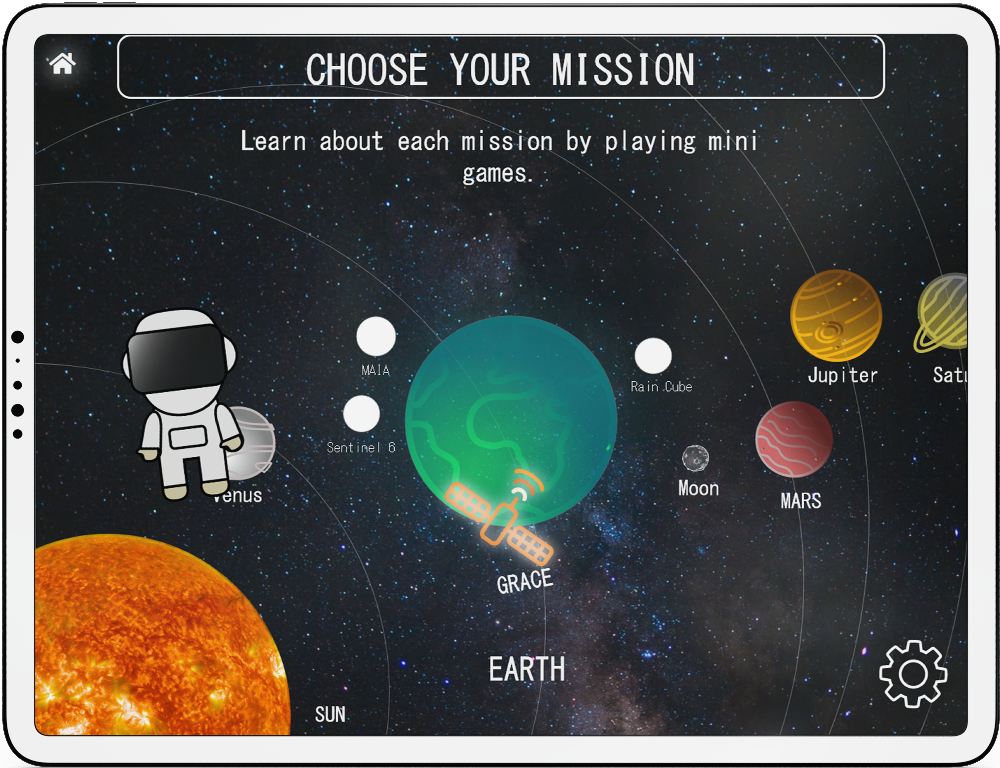
Choose your mission — solar system map showing all available NASA JPL missions per planet

You are on Earth — GRACE mission mini games to complete (Glacial Pace, Gravity Slam, River Rush, Space Race, Satellite Battle)

Mini game task list — step-by-step experiment instructions with Get Started CTA

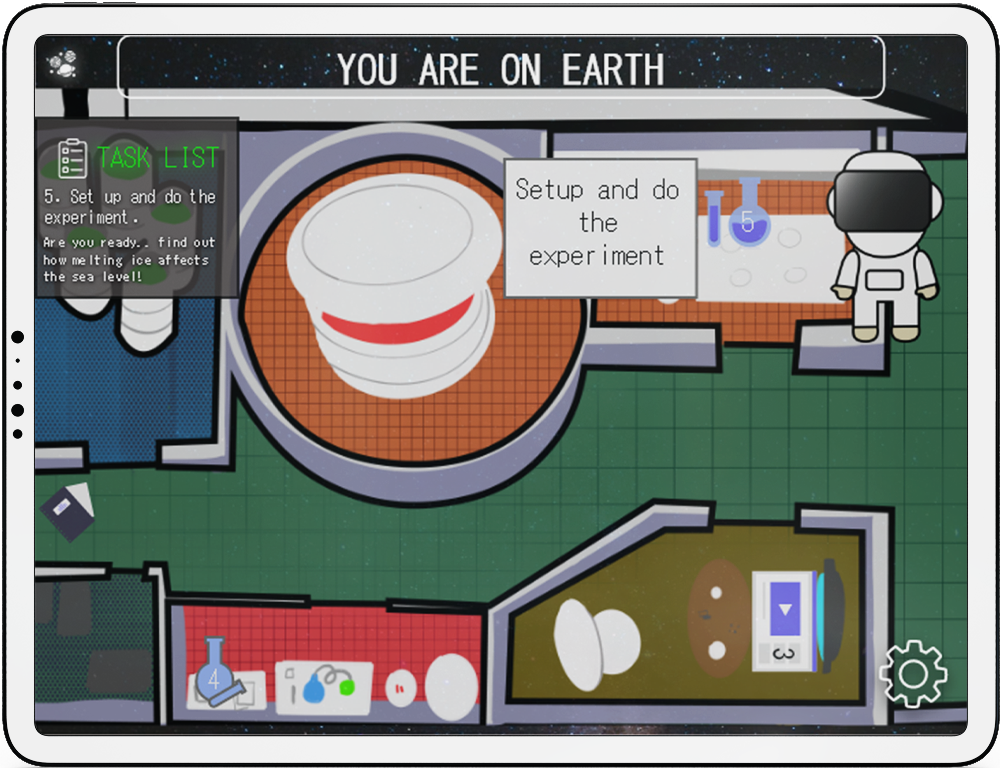
Inside the mini game — lab environment, task list panel, mascot moves around the space

Task 5 — set up and do the experiment, timed animation cue guides user to next step
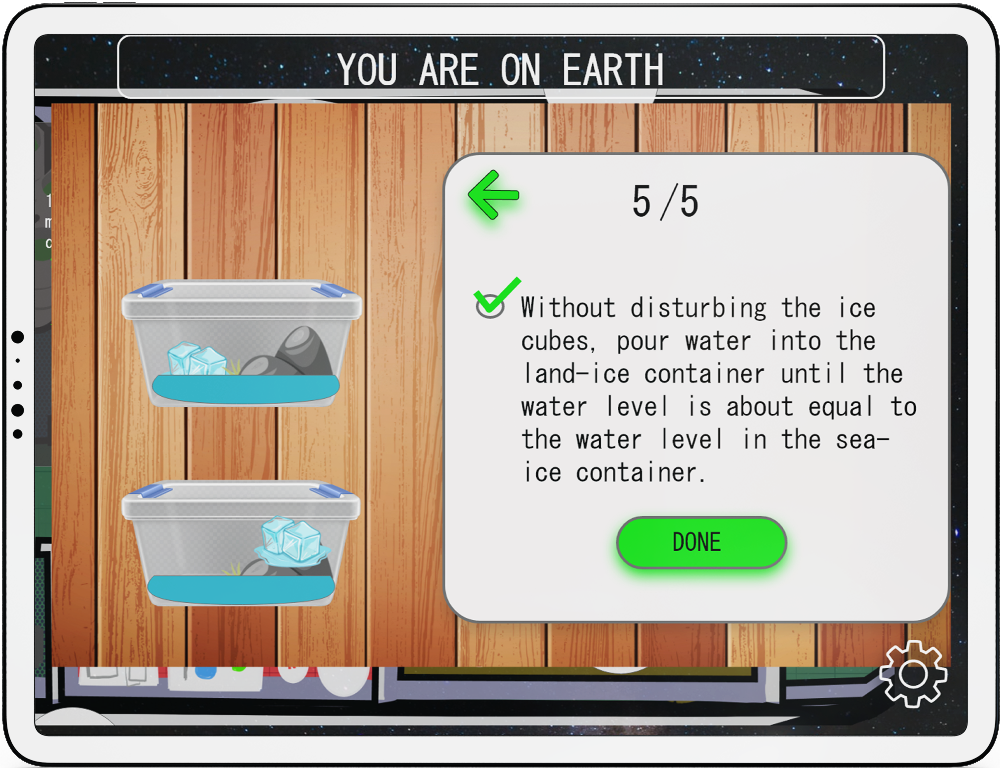
Experiment step 5/5 — pour water into land-ice container, land vs sea ice science concept
Shop — spend earned coins on rocket accessories, experiment materials, fuel and planet accessories

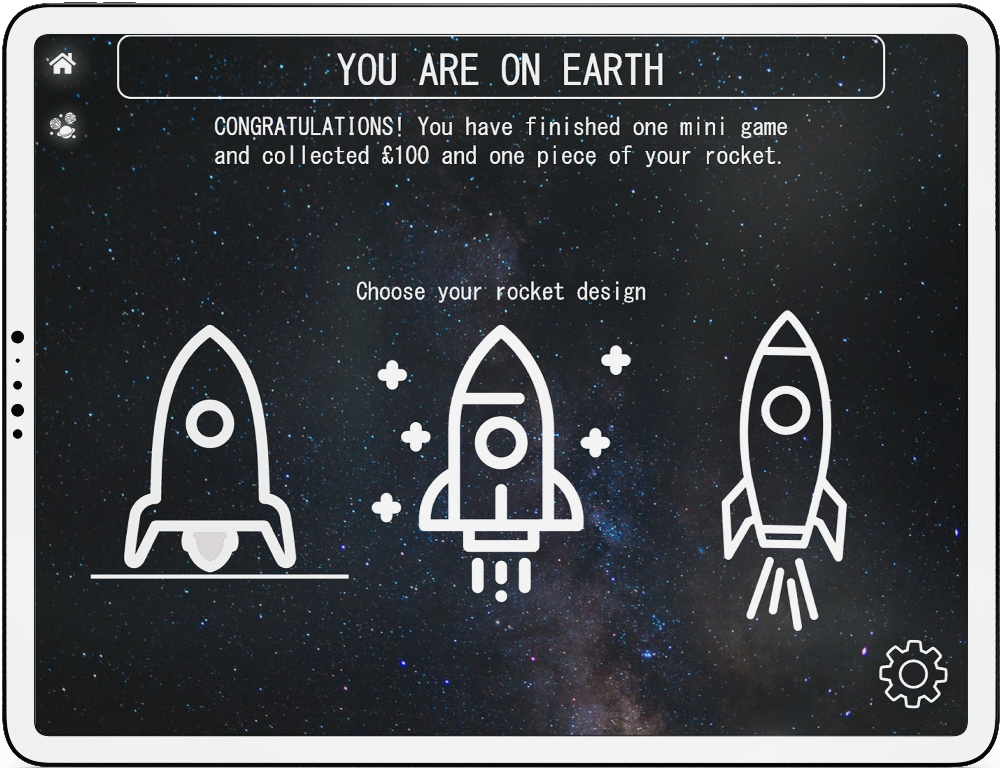
Rocket building — choose your rocket design after completing a mini game and earning £100
GRACE mission overview — learn about the mission as you play these mini games
Clickable prototype → Play the Beyond prototype in Adobe XD
4 usability tests, key iterations
With only one week for the entire project, testing time was limited. We conducted 4 in-person usability tests with family and friends, setting clear objectives aligned to the brief — testing for usability, flow, and whether the app could be understood and played intuitively.
Top 50 out of 200 entries
It was hard work — many late nights during the week. But it was worth it.
What I learned from a one-week design sprint
This challenge was a huge learning curve. Working to a hard deadline with a single partner forced fast, decisive design thinking — no room for over-iteration or second-guessing. The constraint made us better designers for the week.